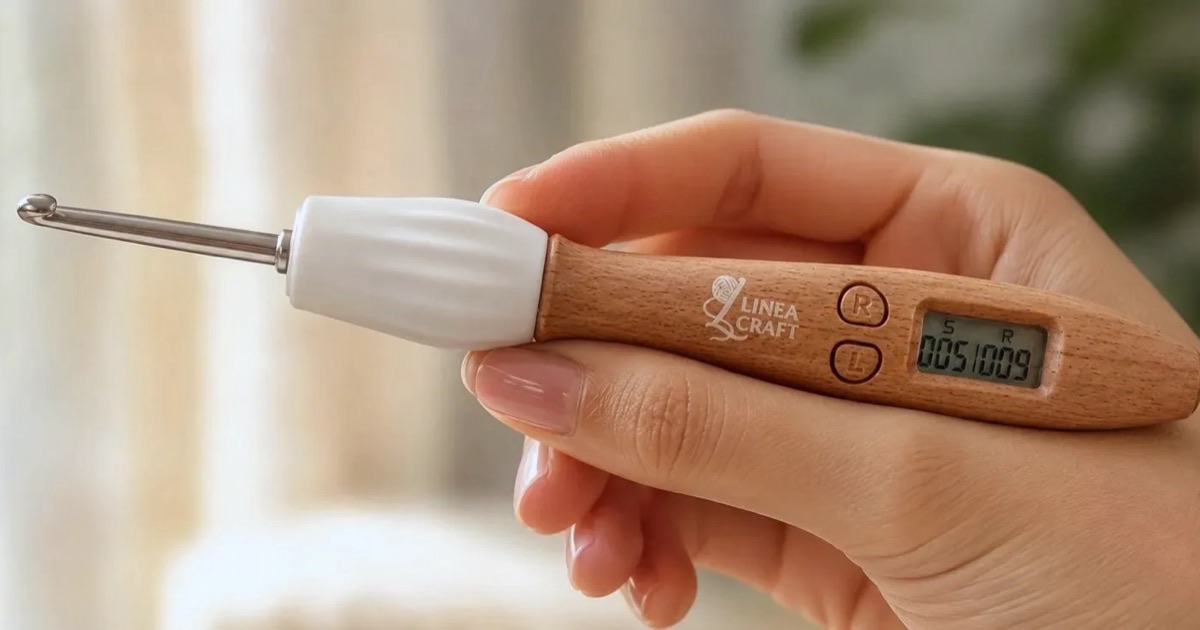
A counting crochet hook, also sold as a crochet hook with a stitch counter, has a small stitch and row counter in its handle. This guide covers what each button does, how to fix a miscount, which tips light up, and how to change sizes and charge the hook.
The LineaCraft Counting Crochet Hook Set is our own, so the steps below use it. Some other counting hooks have similar S, R and L buttons and the same press-and-hold steps, but the buttons differ by brand and model, so check your own manual too. The section near the end covers the differences we know about.
How a counting crochet hook works
The hook counts button presses. You tap one button when you finish a stitch and another when you finish a row, and a small screen shows both totals. A stitch you forget to tap isn’t counted.
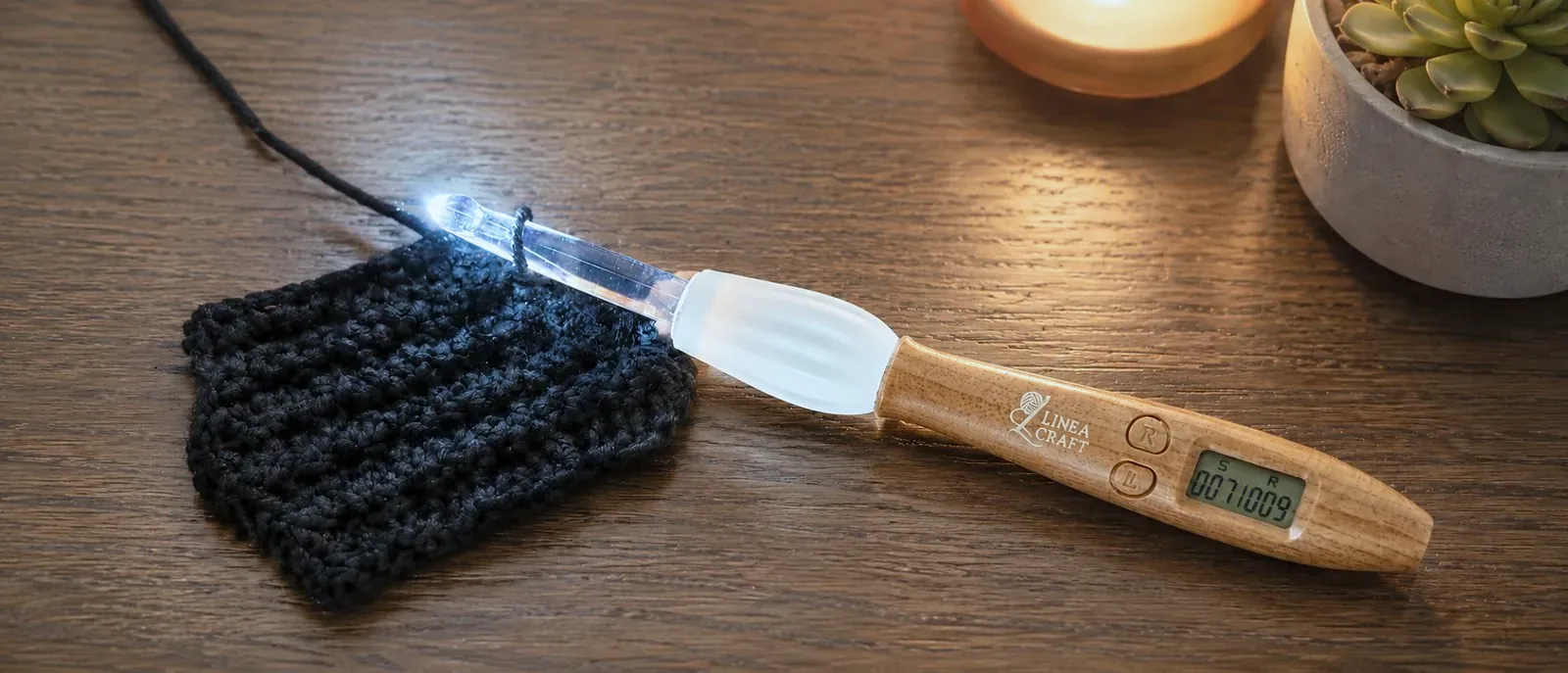
The LineaCraft hook has three buttons:
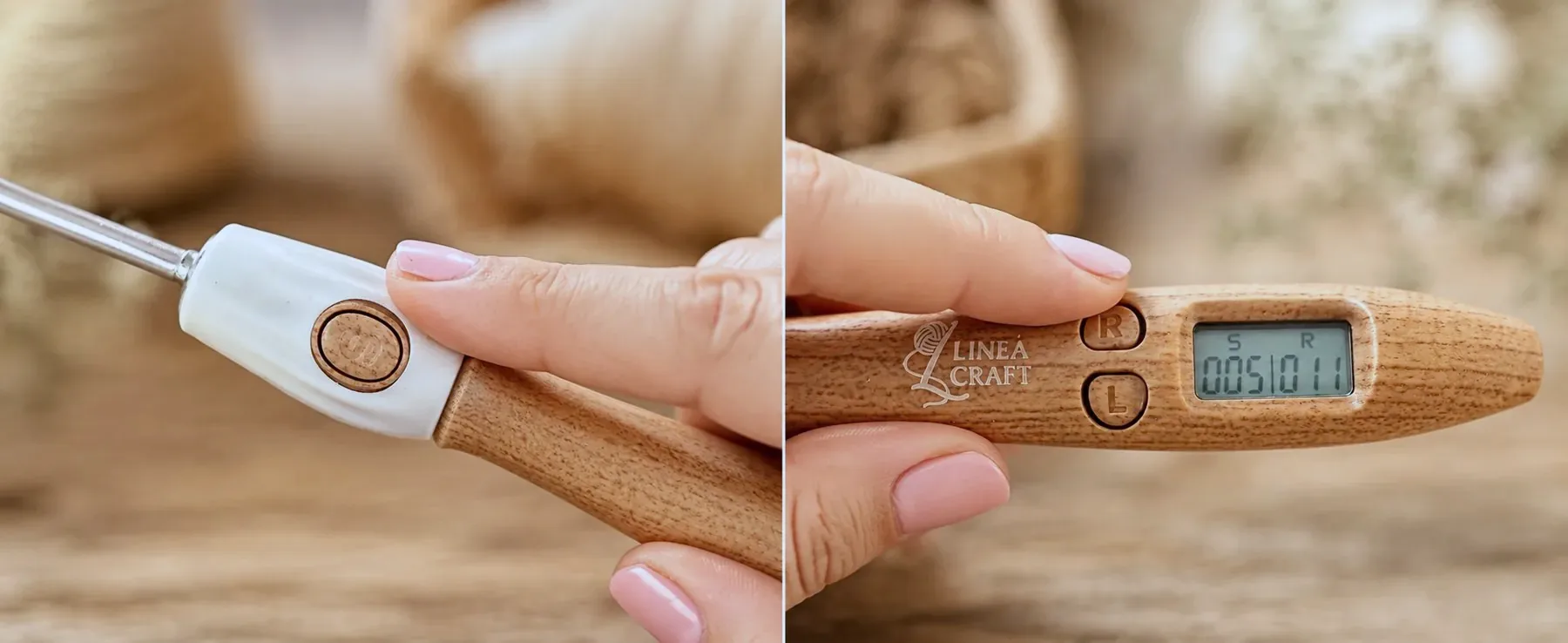
- S counts stitches. It sits on the white collar next to the hook, right under your fingertip, so you can keep crocheting while you count.
- R counts rows. It sits beside the screen.
- L turns on the light. It sits just below R.
The screen shows the stitch count on the left and the row count on the right.
How to use the stitch and row counter
- Twist on the hook size your pattern calls for, and tighten it with the wrench.
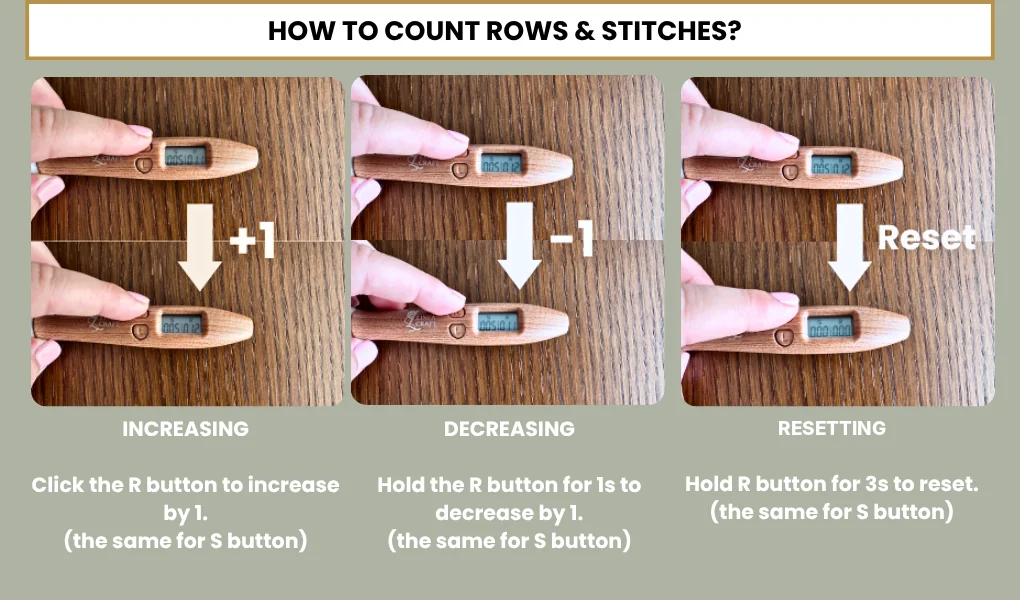
- Tap S each time you finish a stitch. Keep it a quick tap, because holding the button for a second takes one away.
- Tap R when you finish a row. The row count goes up by one, and the stitch count stays as it is.
The stitch count keeps adding up from row to row until you reset it. With 20 stitches in every row, the screen reads 020 after row 1 and 040 after row 2, so to check a single row against your pattern, subtract the number you had at the end of the row before.
It helps to tap at the same point in every stitch, for example right after you pull through the last loop.
How to undo a miscount or reset the count
If you tap twice by accident, hold that button for 1 second and let go. On S that takes one stitch off the count, and on R it takes one row off. Holding R for 3 seconds sets both counts back to zero, which is how you start a new project, so let go after 1 second when you only want to undo a row.
Both counts stay saved when the hook switches off, so you can put a project away mid-row and find the same numbers when you come back to it.
How to use the light
Tap L to turn the light on, and tap it again to switch between its two brightness levels.
The light shines through the clear plastic tips, so only the 6 clear sizes, 9.0 to 14.0 mm, light up. The 12 metal tips, 2.0 to 8.0 mm, stay dark. That makes the light most useful with chunky yarn in dark colors. For dark yarn on a smaller hook, use a good lamp, or a separate light-up hook in that size.
How to change the hook size
The set has 18 tips: 12 metal ones from 2.0 to 8.0 mm, and 6 clear ones from 9.0 to 14.0 mm for chunky yarn. Your pattern or the yarn label tells you which size to use.
Twist the tip you want onto the handle, then tighten it with the included wrench so it stays in place while you crochet. To change sizes, unscrew the tip, using the wrench if it’s too tight to turn by hand, and twist on the next one.
How to charge a counting crochet hook
Charge the LineaCraft hook with the USB cable that comes in the box. Charging takes about 15 minutes and gives about 7 to 8 hours of light. With the light off, the counter alone runs for weeks on a charge.
The hook switches itself off when it sits idle, and it keeps your counts while it’s off.
If your counting hook is another brand
We don’t sell the brands below. These details come from their own Amazon listings and product pages as of October 2026.
How to use a Yarniss counting crochet hook
Yarniss’s listing for its 18-size Lilac set gives the same timings as ours: press the button to add one, hold it for 1 second to take one away, and hold it for 3 seconds to reset the count. Its 18-size Green and Violet sets have plus and minus buttons instead, so check which kind you have.
The listing for its 18-size Blue set shows 12 metal tips and 6 plastic ones but doesn’t say which ones light up, so try the light with each tip attached. Yarniss says a 15-minute charge can last 7 to 8 hours, and that the hook turns off after 3 minutes of inactivity.
How to use an Everything Crochet counting hook
Everything Crochet’s Vintage set has L, S and R buttons like ours. Its product page says to press S to add one, hold it for 1 second to take one away, and hold it for 3 seconds to reset, and it lists a USB cable in the box. Its Amazon listing calls the set rechargeable and says all 17 tips are made from clear plastic for the lighted feature.
Other brands
Bybykoi and knitly also list 12 metal tips and 6 clear or plastic ones. Bybykoi’s listing says the hook head must be turned to face the screen, or it will easily come loose. The knitly listing says to always line the hook head up with the button when attaching it.
Shopping for a counting hook
If you don’t have one yet, the LineaCraft Counting Crochet Hook Set comes with all 18 sizes, the wrench, a USB cable and a zippered case. If you’re still deciding, our post on whether counting crochet hooks are worth it covers what owners like and complain about, and if you’re buying one as a present, our gift guide for crocheters has more ideas.
Questions about counting crochet hooks
How does a counting crochet hook work?
A counting crochet hook has a stitch and row counter in its handle. You tap one button after each stitch and another at the end of each row, and a small screen shows both counts. It counts your taps, so a stitch you don’t tap isn’t counted.
How do you use a crochet hook with a stitch counter?
On the LineaCraft hook, tap S each time you finish a stitch and tap R when you finish a row. The screen shows the stitch count on the left and the row count on the right. Tapping R adds a row and leaves the stitch count as it is, so the stitch count is a running total. Hold S or R for 1 second to take one away, or hold R for 3 seconds to reset both counts.
Is there a crochet hook that counts stitches automatically?
None of the counting hooks we’ve looked into do. They count button presses, so you press a button for every stitch and every row. The Amazon listings for LineaCraft, Yarniss and Bybykoi each say their hook doesn’t count automatically.
How do you reset a counting crochet hook?
On the LineaCraft hook, hold R for 3 seconds and both counts go back to zero. To take one away instead, hold S or R for 1 second. As of October 2026, Yarniss’s listing for its 18-size Lilac set gives the same 1-second and 3-second holds, and Everything Crochet’s product page gives them for its S button. Other hooks differ, so check your manual.
Which tips light up on a counting crochet hook?
On the LineaCraft hook, the light shines through the clear plastic tips, so only the 6 clear tips, 9.0 to 14.0 mm, light up, and the 12 metal tips stay dark. Other brands differ. As of October 2026, Everything Crochet’s Amazon listing says all 17 tips of its Vintage set are made from clear plastic for the lighted feature, and Yarniss’s listings don’t say which tips light up.
How long does a counting crochet hook take to charge?
The LineaCraft hook charges over USB in about 15 minutes and gives about 7 to 8 hours of light. With the light off, the counter alone runs for weeks. As of October 2026, Yarniss’s Amazon listing gives the same 15 minutes and 7 to 8 hours for its 18-size Blue set.
Why does my counting crochet hook keep turning off?
Some counting hooks switch themselves off when they sit idle. The LineaCraft hook does, and it keeps both counts while it’s off. As of October 2026, Yarniss says its 18-size Blue set turns off after 3 minutes of inactivity.